

Hello Toradex Team,
I am experiencing a persistent display issue on a Verdin i.MX8M Plus using a dual-channel 1080p LVDS panel (Himax HX8290-A06 TCON). The image is built using Yocto based on Torizon OS 7.2.
Software Summary
Bootloader:               U-Boot

Kernel version:           6.6.84-7.2.0-devel-g87bfb710b6f1 #1-Torizon SMP PREEMPT Mon Mar 31 08:47:48 UTC 2025
Kernel command line:      root=LABEL=otaroot rootfstype=ext4 quiet logo.nologo vt.global_cursor_default=0 plymouth.ignore-serial-consoles splash fbcon=map:3 ostree=/ostree/boot.0/torizon/7690f4340db2981ac94792c9fe8f05860ed8bd8f18e0f718adb16b2ca4561f46/0
Distro name:              NAME=“Torizon OS”
Distro version:           VERSION_ID=7.2.0-devel-20260218083024-build.0
Distro variant:           VARIANT=“Docker”
Hostname:                 verdin-imx8mp-15601689

Hardware info

HW model:                 Toradex Verdin iMX8M Plus WB on Verdin Development Board
Toradex version:          0070 V1.1A
Serial number:            15601689
Processor arch:           aarch64
When the system enters suspend-to-RAM, the display behavior depends heavily on the sleep duration. A short sleep (under 2 minutes) allows for a successful resume, but a long sleep (exceeding 5 minutes) results in a significant “ghost image” of the last rendered frames from the Qt application appearing on the panel. Furthermore, the image “jigs” or flickers for approximately 2–3 minutes before finally stabilizing.
Current Device Tree Configuration:
&{/} {
backlight_lvds_native: backlight-lvds-native {
compatible = "pwm-backlight";
brightness-levels = <0 60 80 110 140 170 220 255>;
default-brightness-level = <1>;
pwms = <&pwm1 0 50000>;
power-supply = <®_3p3v>;
status = "okay";
};
panel-lvds-native {
status = "okay";
backlight = <&backlight_lvds_native>;
compatible = "panel-lvds";
data-mapping = "vesa-24";
height-mm = <136>;
width-mm = <217>;
rotation = <270>;
enable-gpios = <&gpio1 0 GPIO_ACTIVE_LOW>;
reset-gpios = <&gpio1 1 GPIO_ACTIVE_LOW>;
ddc-i2c-bus = <&i2c2>;
panel-timing {
clock-frequency = <136800000>;
hactive = <1920>;
hback-porch = <16>;
hfront-porch = <38>;
hsync-len = <12>;
vactive = <1080>;
vback-porch = <24>;
vfront-porch = <20>;
vsync-len = <5>;
de-active = <1>;
hsync-active = <1>;
vsync-active = <1>;
pixelclk-active = <1>;
};
port {
panel_lvds_native_in: endpoint {
remote-endpoint = <&lvds_out>;
};
};
};
};
&gpu_2d {
status = "okay";
};
&gpu_3d {
status = "okay";
};
&lcdif2 {
status = "okay";
};
&ldb {
fsl,dual-channel;
status = "okay";
lvds-channel@0 {
fsl,data-mapping = "spwg";
fsl,data-width = <24>;
status = "okay";
port@1 {
reg = <1>;
lvds_out: endpoint {
remote-endpoint = <&panel_lvds_native_in>;
};
};
};
};
&ldb_phy {
status = "okay";
};
&mix_gpu_ml {
status = "okay";
};
&ml_vipsi {
status = "okay";
};
&pwm1 {
status = "okay";
#pwm-cells = <2>;
};
Given that the display works fine until it enters the suspend state, I am looking for ways to identify exactly what is failing during that transition:
- IO State during Suspend: Are the LVDS I/O lines on the Verdin iMX8MP put into a specific state (Hi-Z, Pull-down) during
s2idle? If the lines are floating, could this be causing the DC residual buildup in the glass? - Clock Stability: Is there a way in Kernel 6.6 to verify that the Video PLL is absolutely stable before the LDB PHY starts transmitting?
- Power-Down Sequencing: Is there a recommended procedure to ensure a full discharge of the LDB/LCDIF rails during power-down to prevent image sticking on high-resolution panels?
- Debugging Tools: Are there specific registers or kernel logs we can check to see the LDB PHY state immediately upon resume to see if it’s struggling to achieve link-lock?
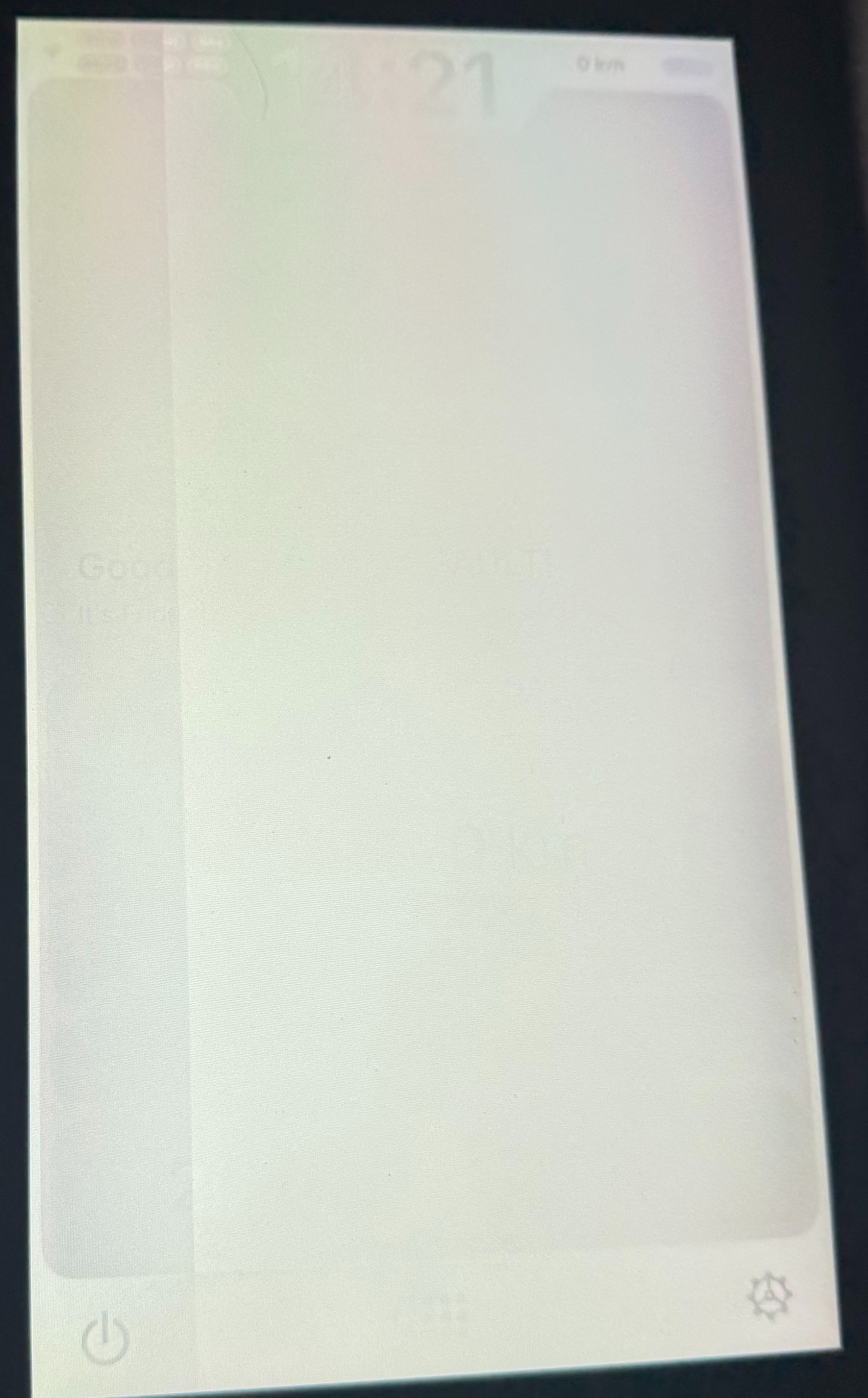
I have attached a photo of the ghosting effect. Any guidance on how to further debug the transition into and out of suspend would be greatly appreciated.
Thank you for your help.

