Hi, I’m the Toradex AI Assistant.
I might make mistakes or occasionally get you wrong. Our support team will step in if needed.
Custom Feed for TEZI Without Manual Configuration
Based on the available documentation, there are several approaches to achieve automatic custom feed detection in Toradex Easy Installer (TEZI) without manual URL entry:
1. DNS Redirection Approach (Recommended)
The most practical solution for your remote server scenario is using DNS redirection (1). TEZI always tries to load an image_list.json from the hard-coded URL https://tezi.toradex.com/image_list.json (1). You can redirect tezi.toradex.com to your custom server using a DNS server.
Implementation using Dnsmasq:
interface=<network interface>
dhcp-range=192.168.10.50,192.168.10.150,12h # Use different IPs if needed
address=/tezi.toradex.com/192.168.10.1 # Use IP address of your network interface
(1)
This approach allows TEZI to automatically connect to your custom server without any manual intervention (1).
2. Zeroconf for Local Networks
For local network scenarios, you can set up a web server that announces itself via Zeroconf (1). Create an AVAHI service file:
<?xml version="1.0" standalone='no'?>

<!DOCTYPE service-group SYSTEM "avahi-service.dtd">
<service-group>
 <name replace-wildcards="yes">Custom Toradex Easy Installer Feed</name>
 <service>
 <type>_tezi._tcp</type>
 <port>80</port>
 <txt-record>name=Custom Toradex Easy Installer Feed</txt-record>
 <txt-record>path=/path/image_list.json</txt-record>
 <txt-record>enabled=1</txt-record>
 <txt-record>https=0</txt-record>
 </service>
</service-group>
(1)
3. Configuration File Approach
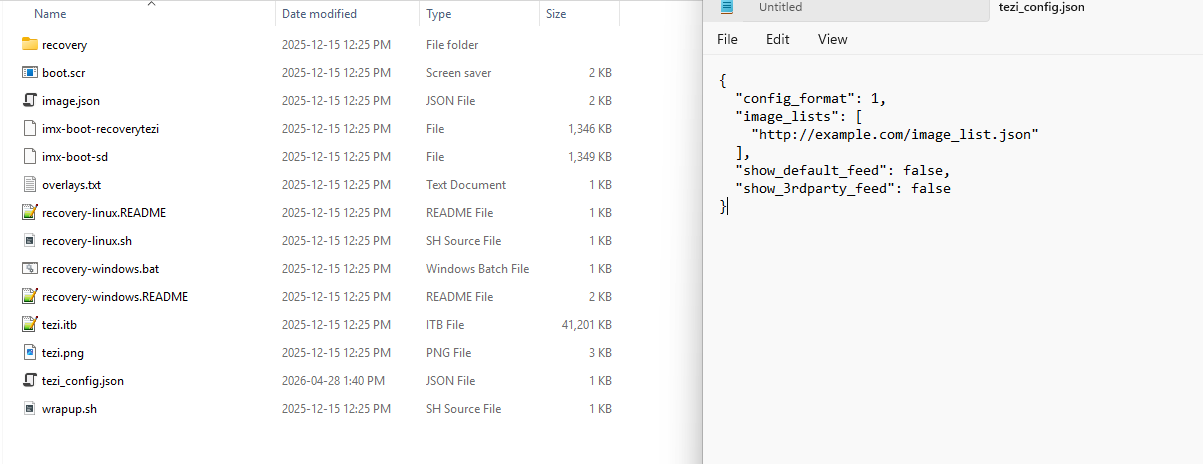
While not directly supported by default TEZI, there have been community discussions about including configuration files in TEZI images (2). However, this would require custom modifications to your TEZI build.
4. Server Setup Requirements
For any approach, ensure your server provides:
- An
image_list.json file listing available images (1)
- Proper HTTP server configuration (nginx example provided in documentation) (1)
- Images with
autoinstall: true property for automatic installation (1)
Important Considerations
- The DNS redirection approach works best for production environments where you control the network infrastructure (1)
- Zeroconf works well for local development but may not suit remote server scenarios (1)
- TEZI checks for connections at boot time, so the server must be available when the device powers on (3)
The DNS redirection method appears to be your best option for a remote server with CI/CD integration, as it requires no manual intervention and works with standard TEZI builds.
Best regards, Toradex AI Assistant.
Did you like my answer? 

If I answered your question, please tick the “Solution” checkbox.
For follow-up questions to me, please use @ToradexAI in your post.