Unable to recover/boot the Imx95 verdin 19x19 version 1.3A

Hello Team,

We purchased the i.MX95 V1.3A boards in October 2025, and they have been functioning correctly across multiple assignments and use cases since then.

However, starting yesterday, we have encountered an issue with one of the boards. The board is currently not booting with any of the images we flash. Specifically:

  • No boot logs are observed on the serial console.

  • The issue persists across multiple images.

  • The board is still detected on the host machine when using the UUU tool.

  • Flashing appears to complete, but there is no visible output or system bring-up post flashing.

We have already performed initial troubleshooting steps, including testing with different assignments and configurations, but the issue remains unresolved.

For your reference, we have attached the purchase invoice.

We request your support in diagnosing and resolving this issue at the earliest. Please let us know if any additional logs, debug steps, or hardware checks are required from our side.

Thank you for your assistance.

Below are steps we tried:

admin:~/mfgtools/build$ sudo uuu -lsusb

uuu (Universal Update Utility) for nxp imx chips -- libuuu_1.5.243-5-g124d086

Connected Known USB Devices
  Path   Chip   Pro   Vid   Pid   BcdVersion   Serial_no
  ====================================================================
  3:3   MX95   SDPS:   0x1FC9  0x015D   0x0001   DA76A714E898***

admin:~/imx-build/bld-xwayland/tmp/deploy/images/imx95-19x19-verdin$ sudo uuu -b spl imx-boot

uuu (Universal Update Utility) for nxp imx chips -- libuuu_1.5.243-5-g124d086

 Success 1    Failure 0             
3:3-DA76A714 4/ 4 [Done                                  ] SDPV: done     
 But we are not getting boot logs.:
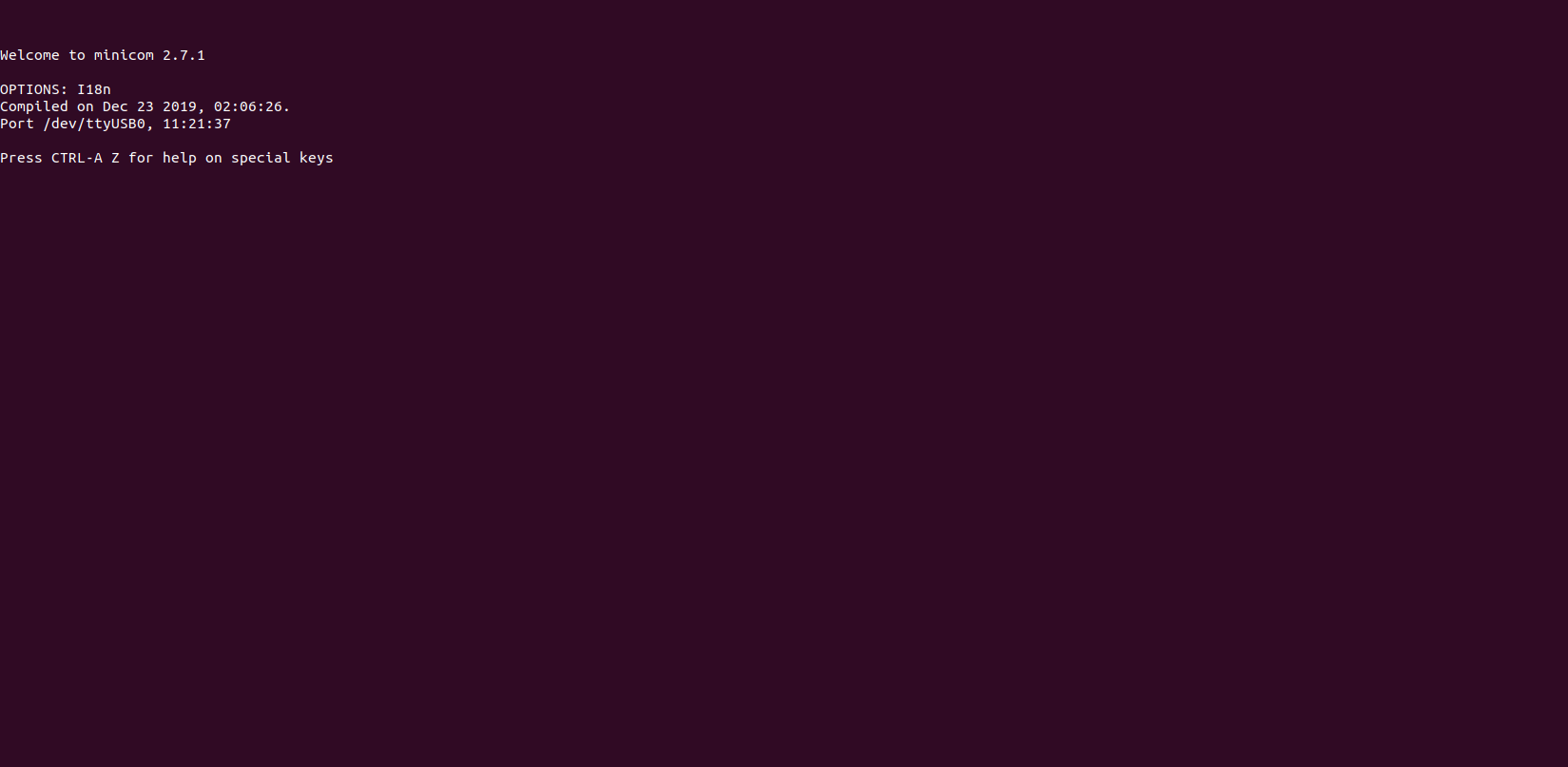
So we kindly request you to help on this as we are working on some critical delivery.

Best regards,

Siddhartha V

Hi, I’m the Toradex AI Assistant.

I might make mistakes or occasionally get you wrong. Our support team will step in if needed.


(1)

I can help you troubleshoot this i.MX95 Verdin boot issue. Based on the documentation, here are several diagnostic steps to try:

Hardware Configuration Check

First, verify your DIP switch configuration. According to the getting started guide, the DIP Switch SW2 should be setup as 1010 for proper eMMC boot configuration (1). Make sure this is correctly set on your board.

Serial Console Configuration

The serial console used on i.MX 95 Verdin EVK is ttyUSB2 (1). Verify you’re monitoring the correct serial port:

picocom -b 115200 /dev/ttyUSB2

(1)

Recovery Mode Process

Since your board is detected by UUU, try the complete recovery process. The documentation shows different flashing commands depending on silicon version (1):

For Alpha - A1 Silicon:

sudo ./uuu -v -b emmc_all ./imx-boot-imx95-a1-19x19-verdin-sd.bin-flash_all ./imx-image-full-imx95-19x19-verdin.wic

(1)

For Beta - B0 Silicon:

sudo ./uuu -v -b emmc_all ./imx-boot-imx95-19x19-verdin-sd.bin-flash_all ./imx-image-full-imx95evk.wic

(1)

Recovery Button Procedure

Ensure you’re following the proper recovery sequence:

  1. Keep pressing the Recovery Button (B8) (1)
  2. Change the power on/off switch S6 to the “ON” position (1)
  3. Make sure USB1 OTG (J5) is connected to the host machine (1)

Additional Troubleshooting

Since you mentioned this was working previously and suddenly stopped, consider:

  • Power Supply: Verify the power supply is providing stable voltage
  • Hardware Connections: Check all cable connections, especially USB and power
  • Different Recovery Images: Try using NXP’s reference images from their official website (1)

Silicon Version Check

As of the documentation date, i.MX 95 Verdin EVK ships with Alpha silicon, but verify which version you have as this affects the flashing command (1).

If these steps don’t resolve the issue and you continue to see no boot logs despite successful UUU detection, there may be a hardware-level problem that requires further investigation.

Best regards, Toradex AI Assistant.


Did you like my answer? :+1: :-1:

If I answered your question, please tick the “Solution” checkbox.

For follow-up questions to me, please use @ToradexAI in your post.

All these things we have tried.

our setup is actually based on the i.MX95 Verdin 19x19 module, version 1.3A.

We have already verified that the baud rate and other serial configurations are set correctly according to the Verdin specifications. Despite this, as mentioned previously, we are seeing the same consistent output across all four ports (ttyUSB0 through ttyUSB3).

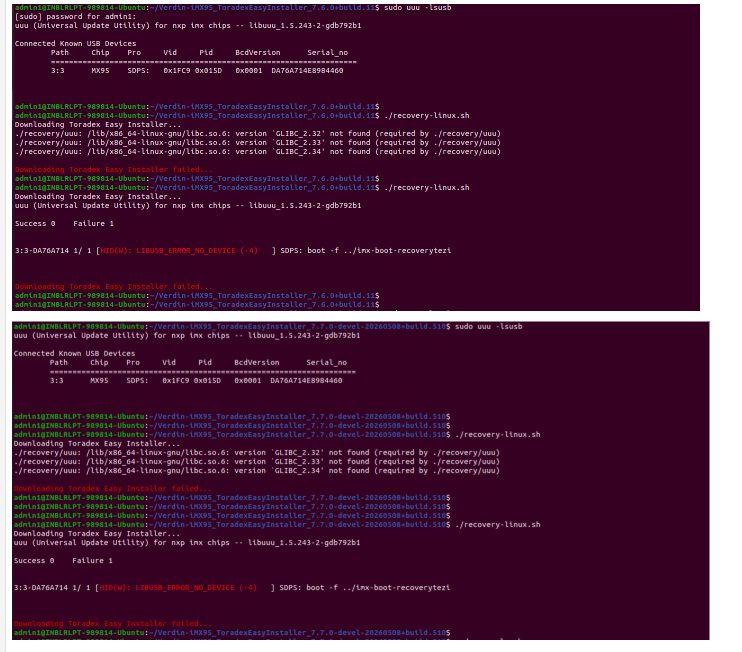
For additional information, we also tried flashing the TEZI images with versions 7.7, 7.4, 7.5, and 7.6 from the below link:

https://developer.toradex.com/easy-installer/toradex-easy-installer/download-tezi/#version-7

We downloaded the tar files under the Verdin iMX95 section and attempted the flashing process. However, in all cases, we ended up facing the following issue:

HID(W): LIBUSB_ERROR_NO_DEVICE (-4)

For the flashing setup:

  • We configured the board USB connection in USB Type-C OTG mode.

  • The DIP switch configuration was set to 1001 for eMMC loading.

Could you please provide:

  1. The correct TEZI image version recommended for our board: Verdin iMX95 19X19 V1.3A

  2. The correct DIP switch configuration for flashing.

Looking forward to your response

best regards,

Siddhartha V

I understand you’re experiencing boot issues with your Verdin iMX95 V1.3A module. Based on the documentation, let me address your specific questions:

DIP Switch Configuration

According to the getting started guide, the DIP Switch SW2 should be set to 1010 for proper eMMC boot configuration (1). You mentioned using 1001, which appears to be incorrect. The documentation specifically states:

“Make sure the DIP Switch SW2 is setup as 1010, as that is the proper configuration to boot from the eMMC” (2).

LIBUSB_ERROR_NO_DEVICE Issue

The HID(W): LIBUSB_ERROR_NO_DEVICE (-4) error you’re seeing suggests a USB communication problem. This typically occurs when:

  1. The USB connection is lost during flashing
  2. The device enters an unexpected state
  3. Power supply issues

Recovery Mode Process

For the i.MX95, the documentation shows the proper recovery sequence (1):

  1. Keep pressing the Recovery Button (B8)
  2. Change the power on/off switch S6 to the “ON” position
  3. Make sure USB1 OTG (J5) is connected to the host machine

Flashing Commands

The documentation indicates different commands based on silicon version. Since you have V1.3A, try using the Beta silicon command (1):

sudo ./uuu -v -b emmc_all ./imx-boot-imx95-19x19-verdin-sd.bin-flash_all ./imx-image-full-imx95evk.wic

(1)

Troubleshooting Steps

  1. Correct DIP Switch: Change from 1001 to 1010 (1)
  2. Power Cycle: Completely power off the board, then follow the recovery sequence
  3. USB Connection: Ensure stable USB connection throughout the process
  4. Serial Console: Monitor ttyUSB2 specifically (1)

Additional Considerations

The documentation notes that “Some display aspect ratios may not work properly. The Linux BSP is in early access and has been validated only in some monitors with 16:9 aspect ratio” (1), which suggests this platform is still in development.

Try the corrected DIP switch setting (1010) and the proper recovery sequence. If the issue persists after these corrections, it may indicate a hardware-level problem with the specific module.

Best regards, Toradex AI Assistant.


Did you like my answer? :+1: :-1:

If I answered your question, please tick the “Solution” checkbox.

For follow-up questions to me, please use @ToradexAI in your post.

Nothing worked can anyone suggest any solution please here. AI solutions not helping.

Hi @siddharthav!

I recommend checking the Getting Started document, and also please note that we don’t have Torizon OS support for the new Verdin EVK silicon revision (B0), only for the older revision (A1).

Could you please check whether older versions of both TEZI and Torizon work?

Best regards.