

Both me or my colleague are unable to go to a device page from the device list on the torizon cloud web page. The device list page seems to load correctly and valid. Same for the dash board. When i click on any of the devices i get the “Device Not Found” page
Hi, I’m the Toradex AI Assistant.
I might make mistakes or occasionally get you wrong. Our support team will step in if needed.
The “Device Not Found” error when clicking on devices from the Torizon Cloud device list can be related to several factors. Based on the available information, this issue might be connected to device registration or identification problems.
Potential Causes
Device Registration Issues
The Torizon Cloud API expects devices to have proper UUID identification(1)(2). When devices are not properly registered or have registration conflicts, they may appear in the device list but become inaccessible when you try to access their individual pages.
Non-Unique Device Identifiers
As mentioned in the community discussions, there can be issues when devices have non-unique device IDs or device names(3). This can cause registration conflicts that might result in devices appearing in the list but being inaccessible when clicked.
Troubleshooting Steps
1. Check Device Status
Use the Torizon Cloud API to verify device status and registration(2). The device list API can help confirm if devices are properly registered and their current status.
2. Verify Device UUIDs
Ensure that each device has a unique UUID(1). The API endpoints require proper device UUID identification to access device-specific information like components and notes(1)(4).
3. Check Device Registration
Review your device provisioning process to ensure devices are being registered with unique identifiers. If you’re using custom provisioning scripts, verify that device IDs and names are truly unique across your fleet.
API Verification
You can use the Torizon Cloud API directly to troubleshoot:
- Use the GET /devices endpoint to list all devices and check their status(2)
- Use the GET /devices/uptane/{deviceUuid}/components endpoint to verify if specific devices are accessible via API(1)
If the devices are accessible via API but not through the web interface, this suggests a web UI issue rather than a device registration problem.
Next Steps
If the issue persists after verifying device registration and uniqueness, the problem may be related to the Torizon Cloud web interface itself. In this case, you may need to contact Toradex support through the community forum for further assistance.
Best regards, Toradex AI Assistant.
Did you like my answer? 

If I answered your question, please tick the “Solution” checkbox.
For follow-up questions to me, please use @ToradexAI in your post.
Greetings @stasgil,
I just checked on my side and I was unable to reproduce this in my own account. When I click on a device I see the expected page:
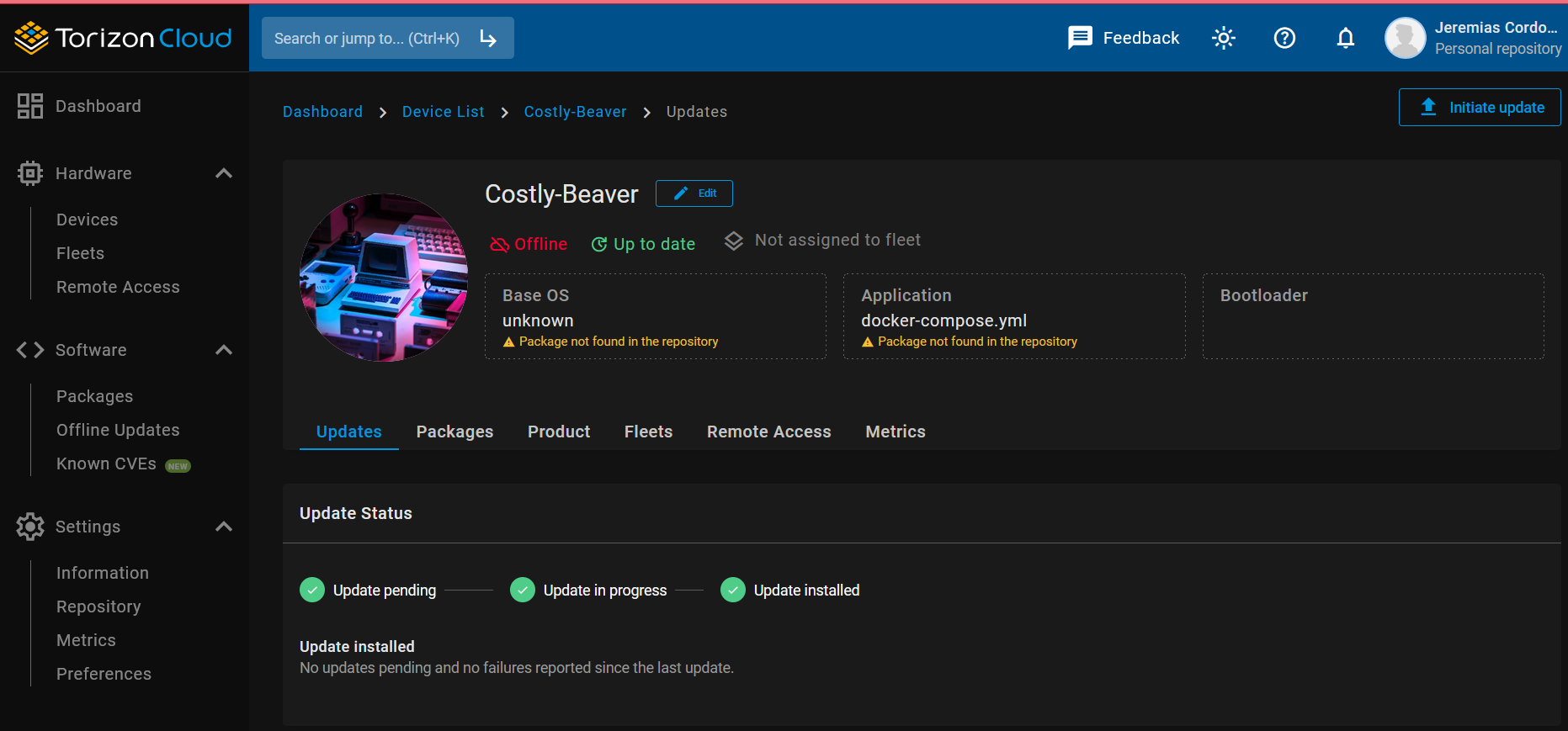
Is this happening for every device on your account, or only some? Have you tried different internet browsers?
Could you provide a screenshot of exactly what you’re seeing as well.
Best Regards,
Jeremias
Actually I just checked with our Cloud team. It seems there was a server hiccup around the time you reported this. It should be resolved now though. Could you confirm that the issue is resolved on your end.
Best Regards,
Jeremias
Yes its fixed now, i guess i could have just waited.. thanks.
Glad we were able to clarify this for you.
Best Regards,
Jeremias