Hi, I’m the Toradex AI Assistant.
I might make mistakes or occasionally get you wrong. Our support team will step in if needed.
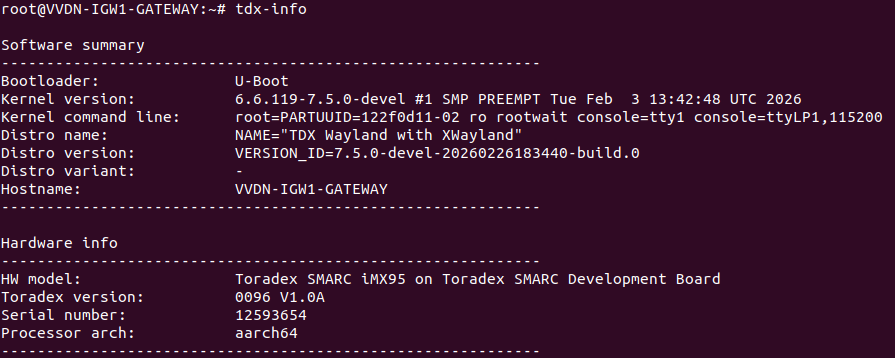
I can help you troubleshoot the Wi-Fi and Bluetooth soft block issue on your SMARC iMX95 SoM. Before providing specific guidance, I need to clarify your setup to ensure I give you the most accurate instructions.
Could you please let me know:
- Which OS and version are you running on the device?
- Are you using Torizon OS, Yocto BSP, or another Linux distribution?
You can get this information by running the tdx-info command on your device. For more details about this tool, visit: Getting Device Information with Tdx-Info | Toradex Developer Center
Hardware Confirmation
I can confirm that the SMARC iMX95 does use the u-blox MAYA-W260-00B Wi-Fi/Bluetooth module based on the NXP IW611 chip (1). The module features Wi-Fi 6 802.11 dual-band and Bluetooth classic with full-featured Bluetooth Low Energy 5.4 (1).
Initial Troubleshooting Steps
Based on the Bluetooth documentation, here are some initial steps you can try:
Check and Unblock RF Kill
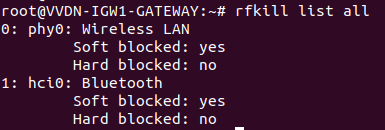
First, check if the Bluetooth hardware is blocked:
# rfkill list
(2)
If Bluetooth is soft blocked, unblock it:
# rfkill unblock bluetooth
(2)
Verify Bluetooth Service Status
Check if the BlueALSA service is running properly:
# systemctl status bluealsa.service
(2)
Once you provide the OS version information, I can give you more specific guidance for your platform configuration.
Common platforms include:
- Hardware: Verdin i.MX8M Plus, Verdin AM62, Aquila AM69, Apalis i.MX8QP, Colibri i.MX8X, SMARC iMX95
- OS: Yocto 7.2.0, Torizon 6.8.2, Torizon OS 6, BSP 7, BSP 6, Torizon OS 7.2.0-build.13
Best regards, Toradex AI Assistant.
Did you like my answer? 

If I answered your question, please tick the “Solution” checkbox.
For follow-up questions to me, please use @ToradexAI in your post.