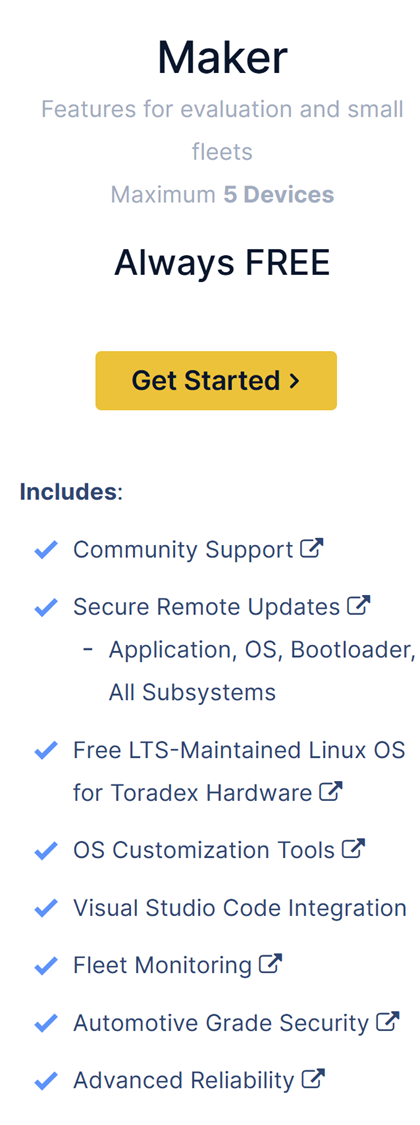
In the Torizon Cloud Dashboard when i want to add a custom OS image to provide the Container Registry key for Application downloads I see that apparently only torizoncore builder can be used to do that.
With torizoncore-builder however it seems that I need the credentials.zip to upload the image. When i want to download the credentials.zip it seems they are not available in the free plan. How am I supposed to upload a custom OS image in that case to be able to use my Applications?
I might make mistakes or occasionally get you wrong. Our support team will step in if needed.
You’re correct that the credentials.zip file is required for uploading custom OS images to Torizon Cloud using TorizonCore Builder(1). According to the documentation, the credentials.zip is only available for specific account tiers(1).
Prerequisites for Torizon Cloud Credentials
The documentation states that to download the credentials.zip file, your account must meet these requirements(1):
Unfortunately, based on the available documentation, the free plan does not provide access to the credentials.zip file needed for custom OS image uploads(1). The TorizonCore Builder tool specifically requires these credentials for platform operations with Torizon Cloud(3)(4)(2).
To upload custom OS images with container registry authentication, you would need to upgrade to one of the paid tiers (Developer, Professional, or Enterprise) to access the required credentials file(1).
Best regards, Toradex AI Assistant.
Did you like my answer?
If I answered your question, please tick the “Solution” checkbox.
For follow-up questions to me, please use @ToradexAI in your post.
As the ToradexAI has suggested, you do need a higher tier account to gain access to credentials.zip. Have you already been in contact with a Toradex sales representative. We do also provide free trials to allow for early evaluation/development purposes.
If the credentials are not available in Maker tier and there is no other way to upload the OS image how am I supposed to use the OS remote update feature?
OS updates can still be performed using the pre-uploaded OS packages from Toradex. OS updates using custom uploaded packages would require a higher tier. Do you not wish to make use of the free trial?
1 month free trial is unfortunately way to short for testing.
Let me bring this up with our sales team internally. The 1 month duration is the standard, but it can be flexible depending on the circumstance. I’ll see what can be negotiated.
After some internal discussion on this matter. You’ll have to make do with the free trial period. Then, if you need further use of Torizon Cloud you’ll have to pay for at least the Developer Plan as is typical.