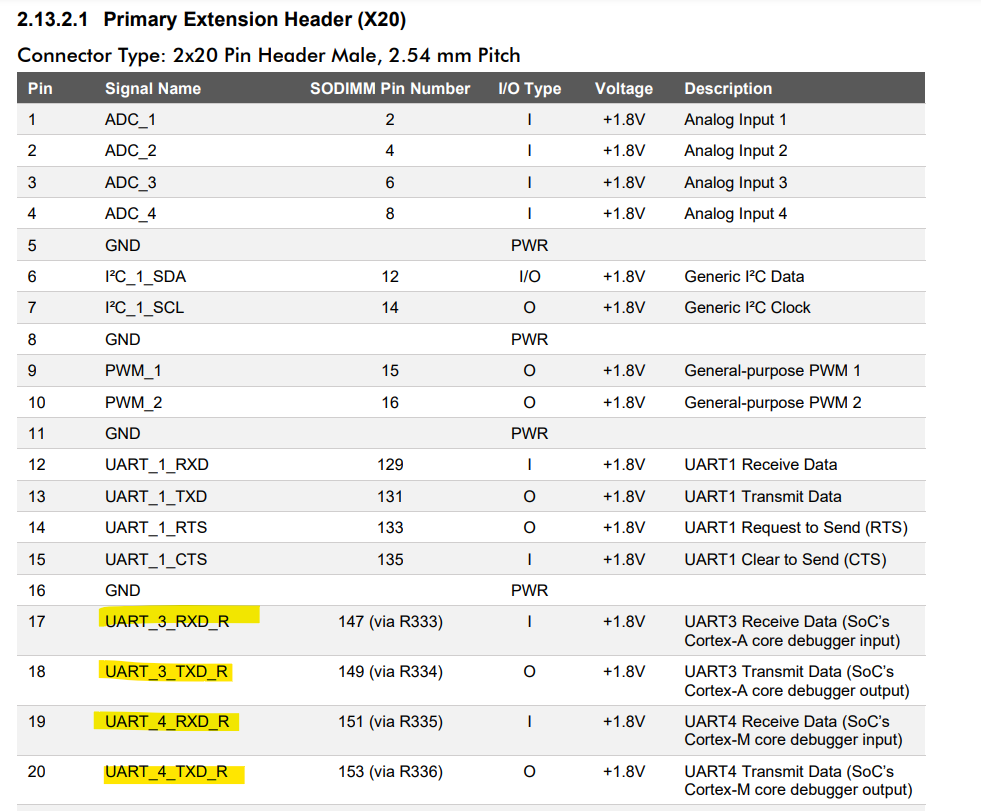
Hi @katsu , in addition to the comments from @jorge.tx , I recommend you use these 1.8V TTL converters directly with UART signals in X19 and X20 instead of using the X18 FTDI IC with the USB Type C cable in case you want to keep using the JTAG debugger.
We will continue investigating this issue between JTAG/FTDI IC.
The converter I am using is also set to 1.8v, so there is no problem.
Model: SH-U09C3
Main chip: FTDI FT232RL
TTL level: 1.8/3.3/5V selectable
We will confirm with the customer whether there is any problem with the procedure of starting the debugger and then connecting X18.
If you do not connect to X18, you will not be able to understand the operating status of Cortex-A and Cortex-M, so it is preferable to connect to a JTAG debugger with X18 connected.
Please let us know if there are any changes to the survey results.
Carrier: Toradex Dahlia V1.1D
CPU: i.MX8MMDL rev1.0
OS: FreeRTOS
Debugger:J-Link EDU mini (Segger)
USB-TTL: SH-U09C3(1.8v) to [X19 14/15]
IDE: Visual Studio Code
I tried with the above configuration.
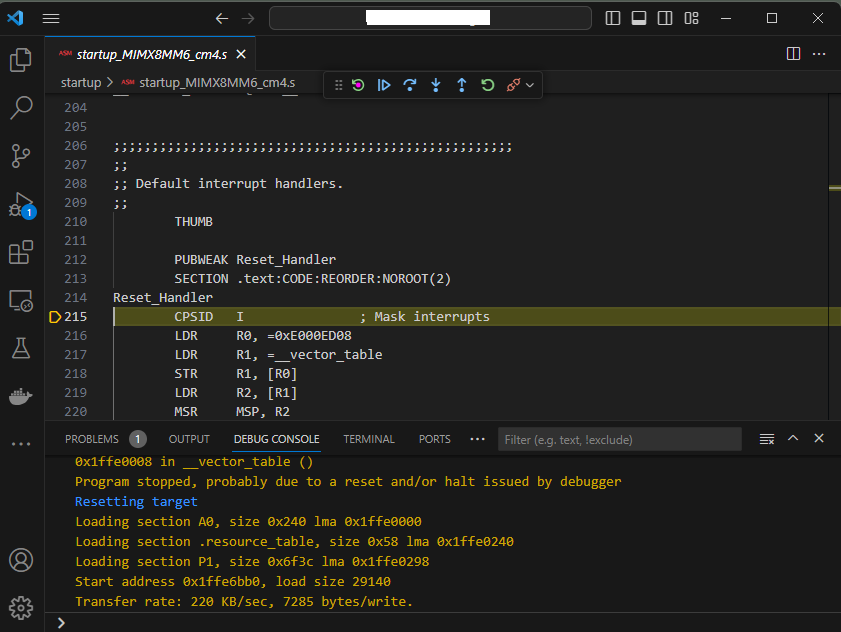
Screen 1: Debugger starts with X18-USB not connected and stops at the start address.
After that, I started the program and connected the X18-USB.
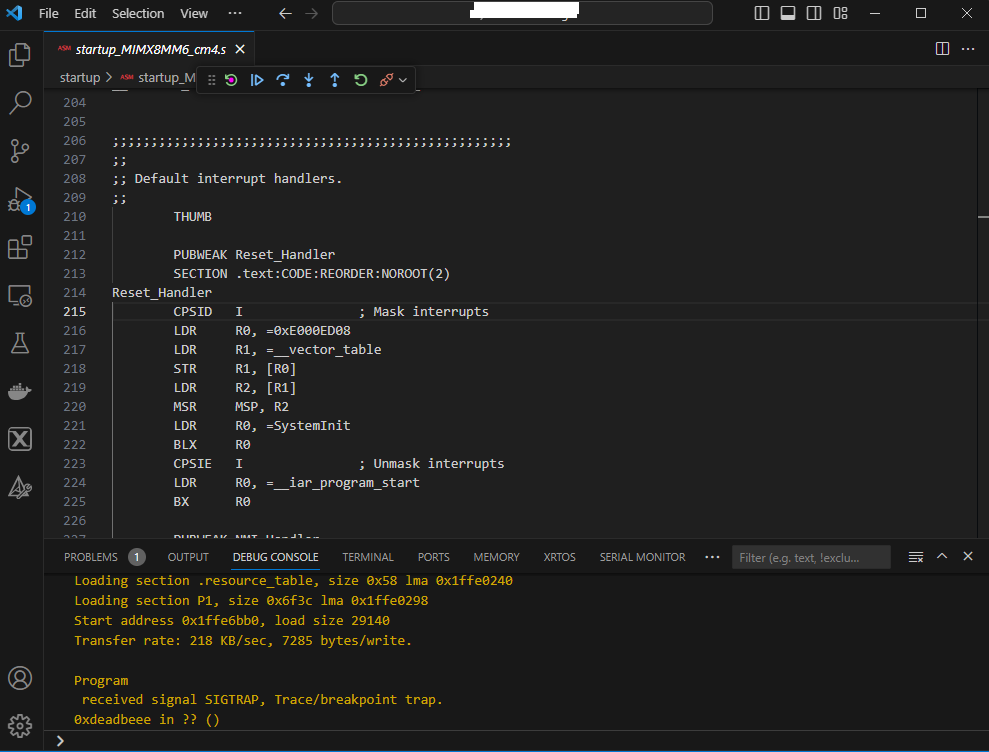
Screen 2: X18-USB is connected.
“SIGTRAP” is displayed on [DEBUG CONSOLE] and the program stops.
Even if I run the program GO, the situation is the same.
Is there a problem with what I have done with Dahlia?
Or are there other problems?
I am able to debug normally without connecting X18.
@katsu Until we fully understand how the FTDI IC and the JTAG interact with each other, we don’t recommend using both at the same time. If you want to use the JTAG, don’t connect X18.
Instead of using X18 (which uses the FTDI), please use the UART TTL signals in X20 with a 1.8V TTL UART converter. You should be able to understand the debug output from Cortex-A and Cortex-M from here.
@alvaro.tx
Thank you for contacting us.
I found that it does not work properly in my environment, so I will not connect X18 and X8 (JTAG) at the same time.
We will respond as soon as we find a solution.
sorry for the wait. We have confirmed internally that the documentation we currently have published is innacurate, as JP6 jumpers behaves the opposite way as we have documented.
If you want to use an external debugger on a Dahlia, JP6 should be closed.
Could you please set JP6 to closed and try again?
We are very sorry for the inconveniences caused by this problem. We are currently working to edit our documentation to reflect this change.
@jorge.tx
Thank you for contacting us.
I tried shorting Dahlia-JP6 and starting Segger J-LINK debugger. I was able to debug without any errors during startup. Thank you for conducting the survey.