

Hi @rawmance !
I have an update to share with you, although it is most probably not so useful.
It is related to the IVI shell on Weston.
After going to Weston’s source code, I found a weston.ini.in example for IVI shell:
Important observation:
- I went for the branch 10.0 as we have in our Bookworm container the weston 10.0.1.
- This is not the “final” file. I had to
- replace
@westondatadir@with/usr/share/weston, and - replace
@bindir@with/usr/bin
- replace
After modifying the file, I placed it on the module (outside containers) in /home/torizon/weston-ivi/weston.ini
Then, I killed all containers running on the module (e.g. $ docker rm $(docker stop $(docker ps -a -q))) and ran the following command on the module to launch the Weston container using IVI shell:
$ docker run -e ACCEPT_FSL_EULA=1 --rm --name=weston \
--net=host --cap-add CAP_SYS_TTY_CONFIG \
-v /dev:/dev -v /tmp:/tmp -v /run/udev/:/run/udev/ \
-v /home/torizon/weston-ivi/:/etc/xdg/weston/ \
--device-cgroup-rule='c 4:* rmw' --device-cgroup-rule='c 13:* rmw' --device-cgroup-rule='c 199:* rmw' --device-cgroup-rule='c 226:* rmw' \
torizon/weston-vivante:$CT_TAG_WESTON_VIVANTE --tty=/dev/tty7
Some comments:
- The command above is based on the command from the section Debian With Weston Wayland Compositor of High performance, low power Embedded Computing Systems | Toradex Developer Center
- Because of how this container image works (specifically due to
dos2unixprogram) I must bind mount the folder/home/torizon/weston-ivion top of the folder/etc/xdg/westoninstead of mounting only the fileweston.ini. - I removed the
--developerin order to use theweston.inifrom/etc/xdg/westoninstead of from/etc/xdg/weston-dev
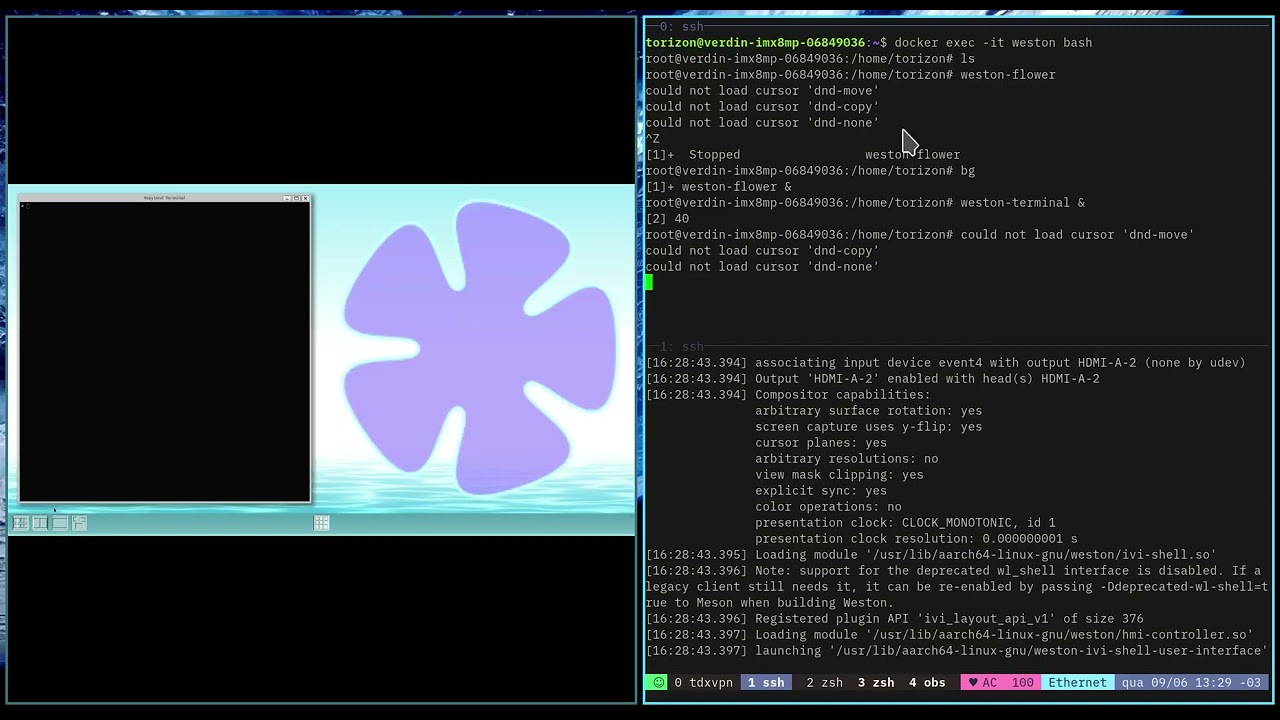
With all this, I had access to the following on HDMI:

And I could launch applications which will stay on half screen, as you need:
A general comment:
- To launch the applications since the startup of the container, I think you can edit the entry point of the container (there is more than one way to do this), so you can launch your applications.
A potential issue:
- Quickly looking into IVI shell’s source code, seems like the panel is hard coded. I could not find a way to remove it (maybe it is possible and I just didn’t find a way…).
Let us know if this helps you 
Best regards,