https://www.toradex.com/ja-jp/computer-on-modules/verdin-arm-family/nxp-imx95?srsltid=AfmBOoo075IDgKdCuJ8HJ9vdESoXJRCDip2ljO3zrJdOS8lzDrPVgD73
のCamera Serial Interfaceの説明には2x Quad Lane MIPI CSI-2とあり、MIPI-CSI2が2つサポートされている様に受け取れますが、データシートでの5.8 MIPI CSI – MIPI Camera Serial InterfaceではMIPI-CSIのpin割り当てでは1つしか記載されていません。
Verdin IMX95としてMIPI CSIとして使用できるのはいくつあるのでしょう?また2つサポートしている場合、2つ目のMIPI-CSIの割り当てPINはどこになるのでしょう?
Hi, I’m the Toradex AI Assistant.
I might make mistakes or occasionally get you wrong. Our support team will step in if needed.
I need to clarify the information about the Verdin iMX95 hardware specification and MIPI-CSI interface availability. Let me help you understand this better.
To provide you with the most accurate guidance, could you let me know:
- Which OS and version are you planning to use (e.g., Torizon OS, Yocto BSP)?
- What specific camera setup are you trying to implement?
You can use the tdx-info command to get detailed information about your system. More details are available at: Getting Device Information with Tdx-Info | Toradex Developer Center
MIPI-CSI Interface Information
Based on the available documentation, the Verdin iMX95 datasheet shows GPIO pins reserved for the MIPI CSI camera interface (1). The datasheet indicates:
- GPIO_5_CSI (pin 216)
- GPIO_6_CSI (pin 218)
- GPIO_7_CSI (pin 220)
- GPIO_8_CSI (pin 222)
These are listed as “Reserved GPIO for MIPI CSI camera interface” (1).
For comparison, the Verdin module family provides one quad-lane MIPI CSI-2 interface on reserved pins according to the Verdin Family Specification (2). This means whenever the SoC of a Verdin SoM has a MIPI CSI-2 interface, Toradex exposes it on fixed pins (2).
Hardware Platform Considerations
Different Toradex platforms have varying MIPI-CSI support:
- Verdin module family: Provides one quad-lane MIPI CSI-2 interface on reserved pins (2)
- Apalis module family: Provides MIPI CSI-2 interfaces on module-specific pins (2)
- Colibri module family: Does not provide MIPI-CSI interfaces (2)
The exact configuration and number of available MIPI-CSI interfaces will depend on your specific hardware setup and OS version.
Best regards, Toradex AI Assistant.
Did you like my answer? 

If I answered your question, please tick the “Solution” checkbox.
For follow-up questions to me, please use @ToradexAI in your post.
verdin iMX95でOSはTorizonです。
verdin imx8MPlusではMIPI-CSIは2つ提供されており、データシートにも2つの割り当てpinが記載されていました。
verdin iMX95のデータシートには1つしか記載されていないので結論としては1つなのでしょうか?
Verdin iMX95のMIPI-CSI インターフェース数について
ご質問について、Verdin iMX95とVerdin iMX8M Plusのデータシートを比較して回答いたします。
Verdin iMX8M Plusの場合
Verdin iMX8M Plusでは、確かに2つのMIPI CSI-2インターフェースが提供されています(1)(2):
- 第1のMIPI CSI-2インターフェース(Verdin標準の予約ピン)(1)
- 第2のMIPI CSI-2インターフェース(モジュール固有ピン)(2)
第2のインターフェースは「module-specific pins that are not guaranteed to be compatible with other Verdin modules」として記載されています(2)。
Verdin iMX95の場合
現在のVerdin iMX95データシート(preliminary)では、MIPI CSI関連のピン割り当てとして以下のみが記載されています(3):
- Reserved GPIO for MIPI CSI camera interfaceとして4つのGPIOピン(216, 218, 220, 222)(3)
結論
データシートの記載内容から判断すると、Verdin iMX95では現在1つのMIPI-CSIインターフェースのみが提供されていると考えられます。
ただし、以下の点にご注意ください:
- Verdin iMX95のデータシートは「preliminary(予備版)」です(4)(5)(3)
- 最終版では仕様が変更される可能性があります
- NXP i.MX95 SoC自体の機能については、SoCレベルでの仕様確認が必要です
より詳細な情報については、Toradexの開発者向けリソースで最新情報をご確認いただくことをお勧めします。
Best regards, Toradex AI Assistant.
Did you like my answer?
If I answered your question, please tick the “Solution” checkbox.
For follow-up questions to me, please use @ToradexAI in your post.
@pal_mouri 様
お問い合わせいただきありがとうございます。
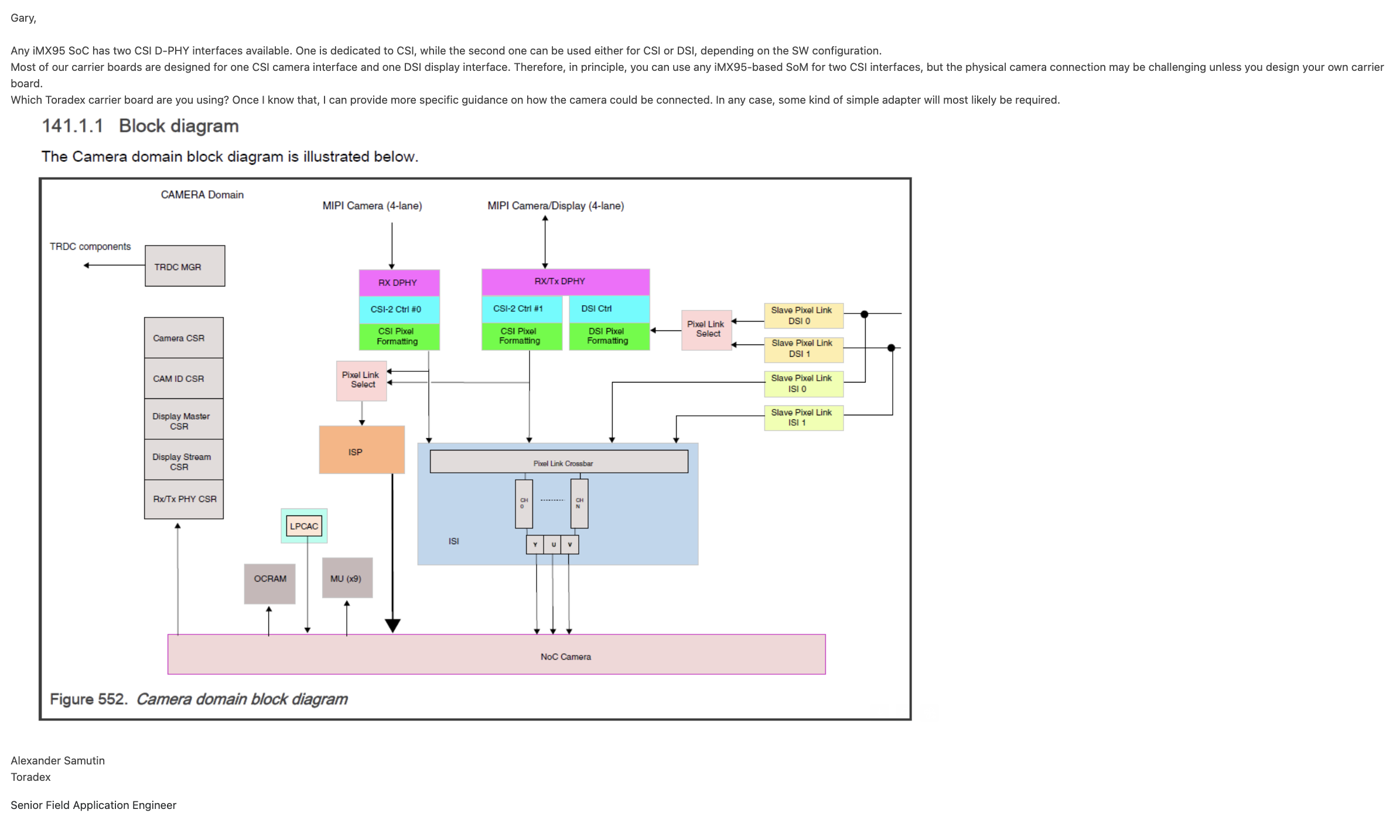
2つ目のMIPI CSIインターフェースについてですが、こちらはi.MX95 SoC内部でMIPI DSIと共有されております。
Verdin iMX95 Datasheetの「5.4.1 DSI 」のSoC Ball Nameにて、MIPI_DSICSI1 として記載されております。
現在の0089 Verdin iMX95では、この信号へアクセスする方法は、Verdin Development BoardまたはDahlia Carrier Board上のDSIインターフェース/DSIコネクタ経由のみとなっております。
ただし、現時点ではDSIコネクタからMIPI CSIへ変換するHWアダプタは弊社では提供しておりません。
そのため、2つ目のMIPI CSIを使用する場合には、DSIコネクタへ接続するカスタムアダプタを作成し、さらに対応するSoftware変更を追加いただく必要があります。
なお、Aquila iMX95ではこの2つ目のMIPI CSIインターフェースが動作することは確認済みです。ただし、先ほど記載した通り、Verdin iMX95で利用するためには追加実装が必要となります。
フルカスタムキャリアボードを作成いただくことも可能ですが、まずはDSI変換アダプタを作成し、弊社評価用キャリアボード上で評価を進める方法が比較的容易かと思います。
また、2つ目のMIPI CSIインターフェース用Media Pipeline作成に関する追加情報も添付いたします。
setup_cameras.sh (2.9 KB)
iMX95 Multiple Camera Usage Notes.pdf (282.2 KB)
*こちらはAquila iMX95向けに作成した内容のため、/dev/ のuserspace interface等に一部差異がある可能性があります。
以上、引き続きよろしくお願いいたします。
アルバロ。
Hey Alvaro!
I am using the Aquila Clover carrier board with the i.MX95. I haven’t been able to get any camera to work on CSI2. I initially wrote my own driver for an IMX678 which worked on CSI1, but not on CSI2. I then flashed the Toradex Multimedia Image (Linux aquila-imx95-12594399 6.12.55-0.0.0-devel) to the board. With a fresh image and no custom overlays, only activating the existing OV5640 overlays with the overlays.txt on CSI1 and CSI2. I then tested CSI2 for any signals on pins 13&14 using a scope, but got nothing after sending an ‘i2cdetect -y 3’ which I expected should show something for CSI2 as it does show attempts to probe on bus 3 with dmesg. On CSI1 with the same setup, I can scope pins 13&14 (using an FPC breakout) and see a signal when using ‘i2cdetect -y 4’ . I did notice that I can also (again, with the stock Multimedia image) scope the resistor R165 (from the Clover schematics that connects to DSI pin 21?) and see a signal again with ‘i2cdetect -y 3’. I know DSI/CSI2 are sharing data pins, but is this the case also for i2c? I’m confused and would appreciate any assistance. Thanks!
Gary,
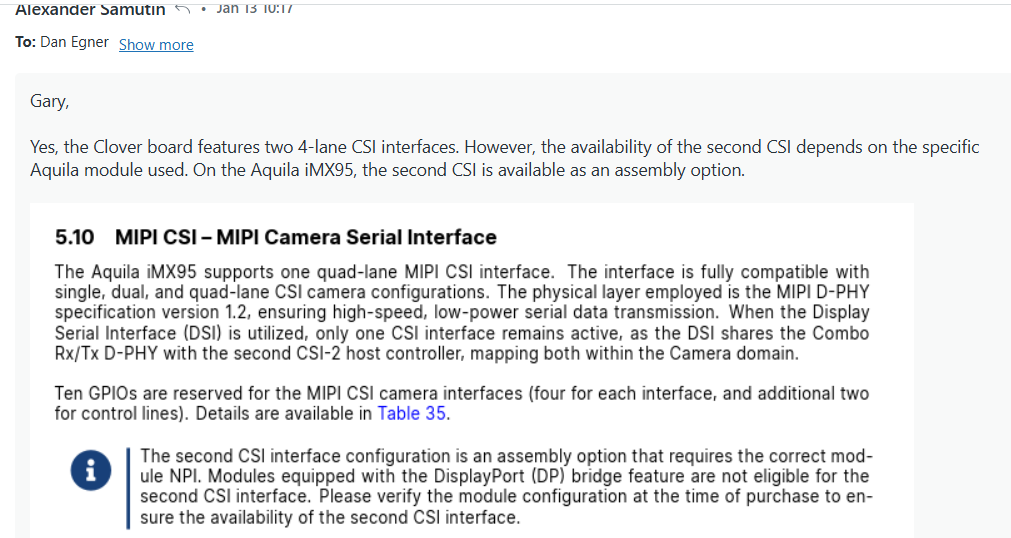
Please note that the second CSI interface is not available on the regular Aquila iMX95 module, as it is multiplexed with DSI and routed by default to the DSI-to-DP bridge. Therefore, an assembly option is required to make it available for the second camera.


You can request such modified modules using Configure Your Own Aquila iMX95 form by selecting the “on CSI_2 of Aquila Connector” option in the “DSI Usage” field.
Alexander Samutin
Toradex
Senior Field Application Engineer
Hey Alexander,
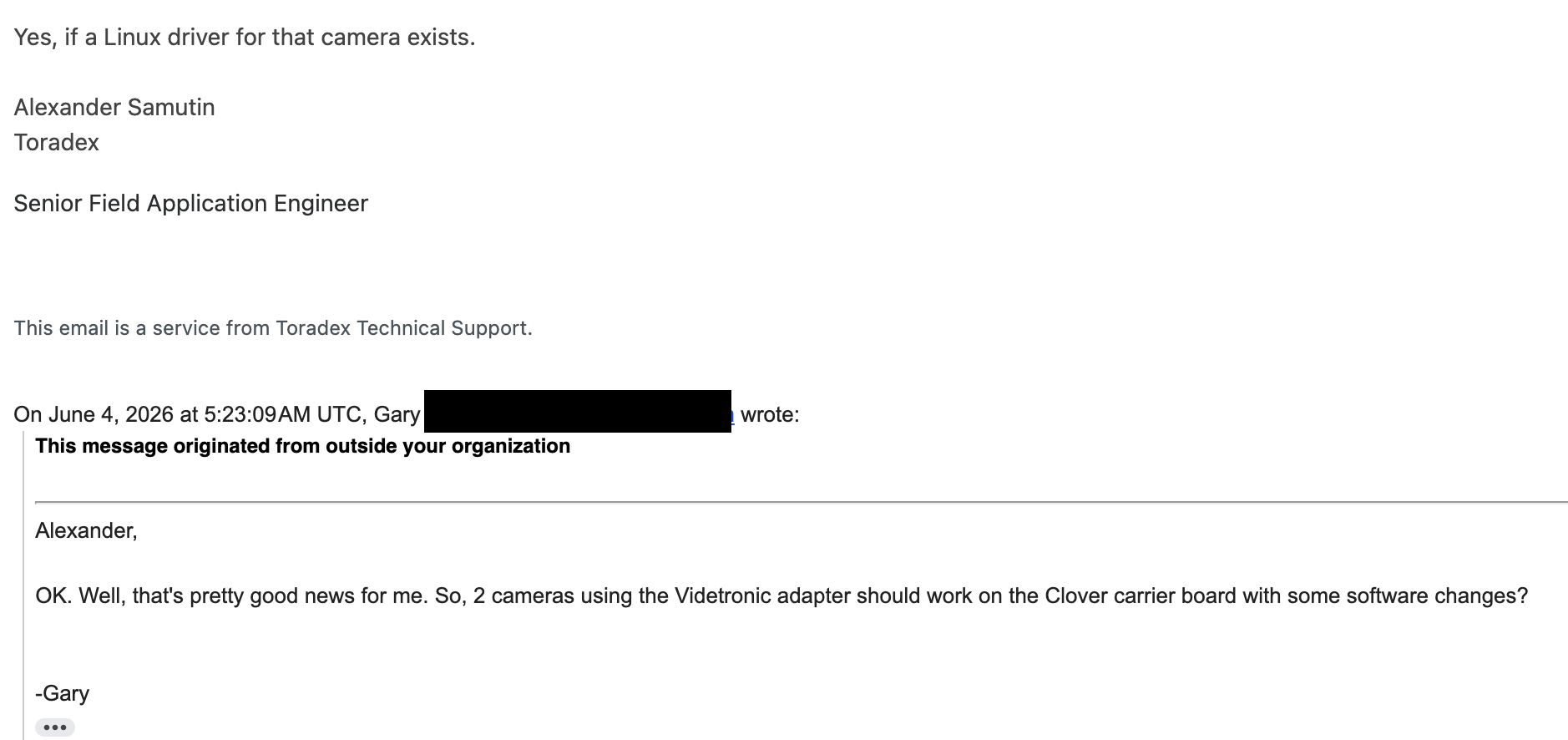
I actually emailed you directly on June 4. In that email I asked if the Clover carrier would work with the i.MX95 8GB that I had and you said at the time that it would work but with software modifications:
Sorry if I misunderstood you. I was under the impression that you were asking about the theoretical possibility of using the Clover board with two cameras. As far as I remember, I pointed out that a specific assembly option is required for this configuration.
No, I believe it was Dan that mentioned a possibility for a ‘custom assembly option.’ You asked for clarification for the carrier board that I had, which I provided:
I can only repeat : yes, the Aquila iMX95 SoM can support two CSI cameras, but this requires a specific SoM assembly/population option.
I apologize if there was any misunderstanding in our previous communication. Unfortunately, this hardware requirement cannot be changed through software or configuration.
@neuoptiks
Gary, I can send you instructions on how to expose the second SCI interface by removing some resistors and soldering others on the Aquila iMX95 SOM. If you have soldering skills or a trained technician available, this mod is relatively straightforward."
Hey Alex,
I would be interested in getting those instructions. Thanks.
Hi @neuoptiks ,
I believe Alex from our team shared something by email here. Can we close this now?
Best,