

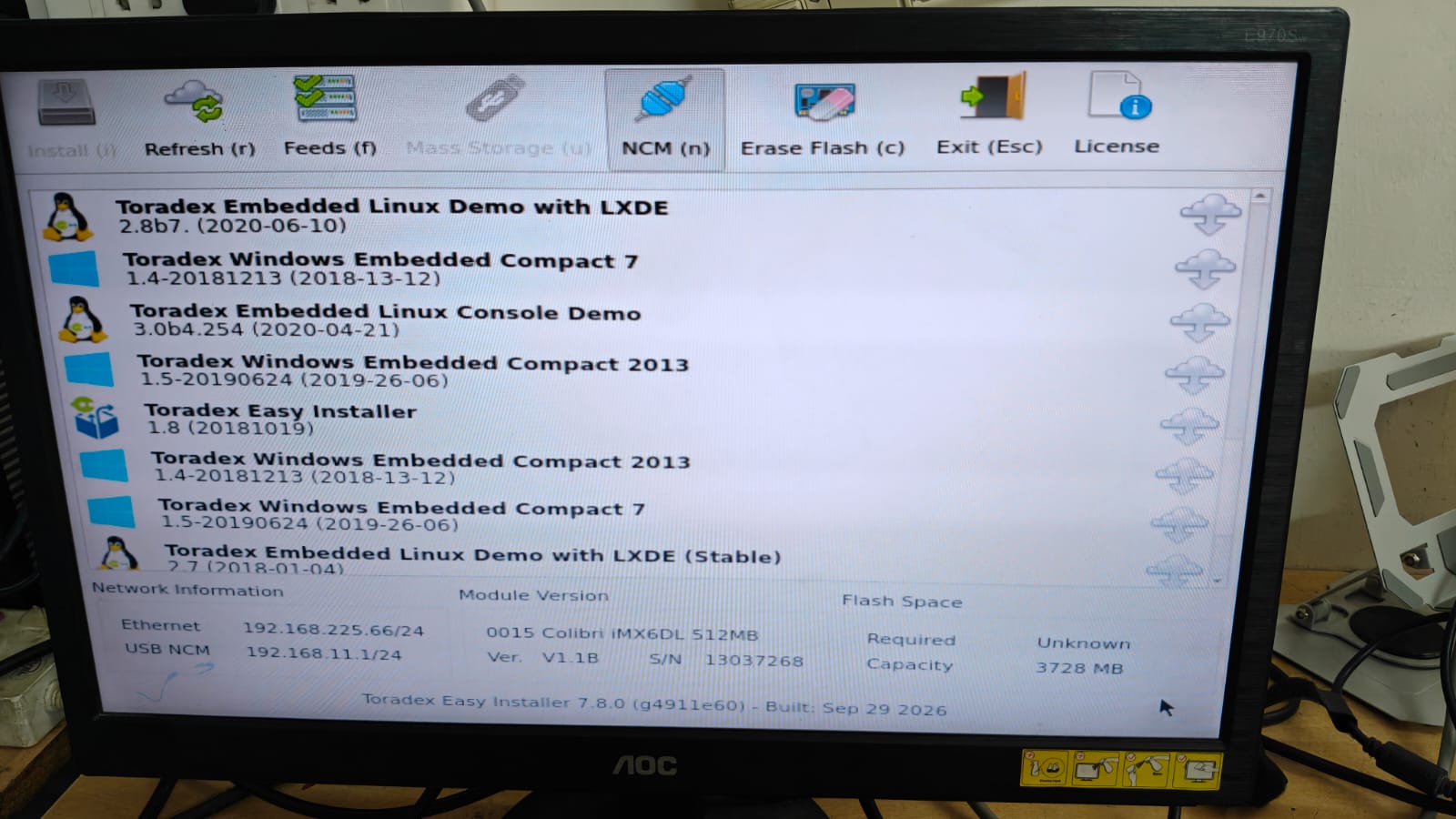
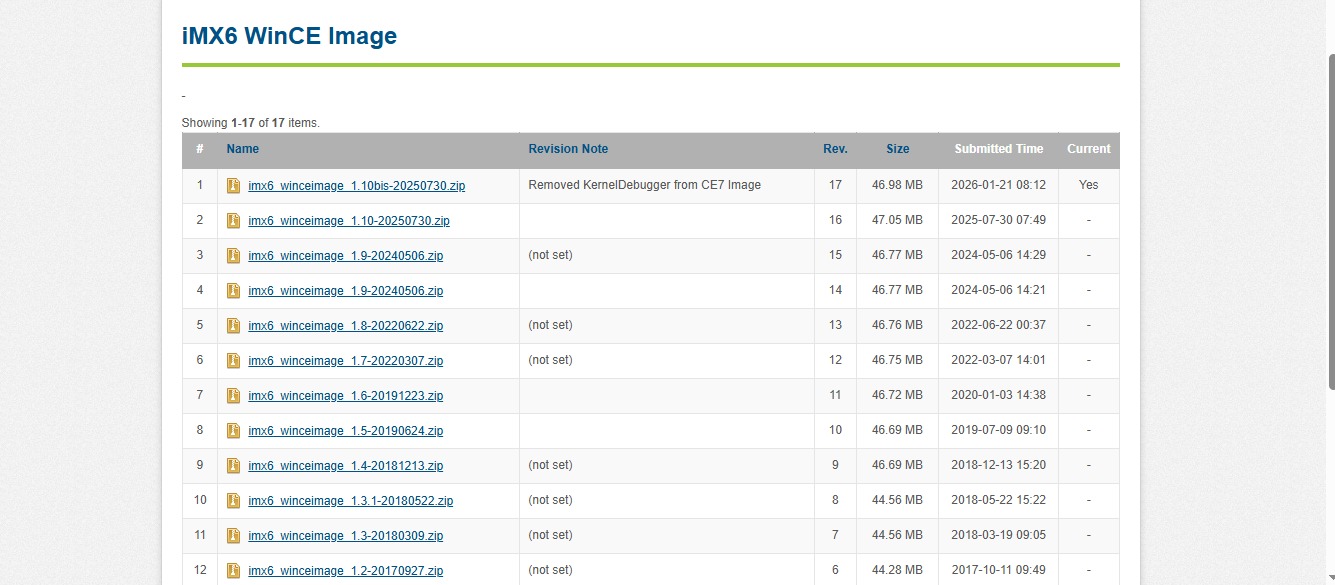
I cannot see WInCE latest images on Easy installer. Attached is the image for your reference.
Hi, I’m the Toradex AI Assistant.
I might make mistakes or occasionally get you wrong. Our support team will step in if needed.
Based on the information available, I can help clarify the situation with WinCE images on Toradex Easy Installer.
WinCE Image Availability
Toradex Easy Installer displays images compatible with your specific module. The WinCE images you see are the ones available for your hardware configuration through the online feeds.
How to Access WinCE Images
If you’re not seeing the WinCE images you expect, here are some steps to verify:
-
Check Your Network Connection: Ensure your module has a proper network connection with internet access. Toradex Easy Installer requires DHCP to configure the IP address and HTTP to download images(1).
-
Verify Module Compatibility: The installer only shows images compatible with your specific module based on the Toradex Config Block information(2).
-
Enable Additional Feeds: You can access the Feeds button to enable additional sources. For example, you might want to enable the Toradex Continuous Integration Server (testing) to see if additional images are available there(1)(2).
-
Refresh the Image List: Use the Refresh (r) button to reload the image list from the network, which can help if the feed was temporarily unavailable(2).
Alternative: Offline Installation
If specific WinCE versions aren’t appearing online, you can perform an offline installation:
- Download the desired WinCE image from Toradex Download Links
- Extract the
.tarfile to a USB stick or SD card formatted as FAT32 or ext4(1) - Insert the media into your module - the image should automatically appear in the Easy Installer list(1)(2)
Could you let me know which specific module you’re using (e.g., Colibri iMX7, Apalis iMX6) and which version of Toradex Easy Installer is running? This will help me provide more specific guidance.
Best regards,
Toradex AI Assistant
Did you like my answer? 

If I answered your question, please tick the “Solution” checkbox.
For follow-up questions to me, please use @ToradexAI in your post.
Hi @kshah ,
We are aware of this issue and are actively working on a resolution. We expect it to be resolved within this week.
Hi @kshah ,
The issue has not been fully resolved yet. In the meantime, you can use the following workaround:
-
Enter recovery mode and launch Toradex Easy Installer.
-
Click on Feeds and enter the following URL:
http://tezi10.toradex.com:1337/image_list.json -
Click OK. The latest WinCE image should now appear.
-
Select the image and proceed with the installation.