

Hi
I managed to have a Colibri with our application working properly and created a backup.
Now I am trying to use the backup on other ones but I get this error:
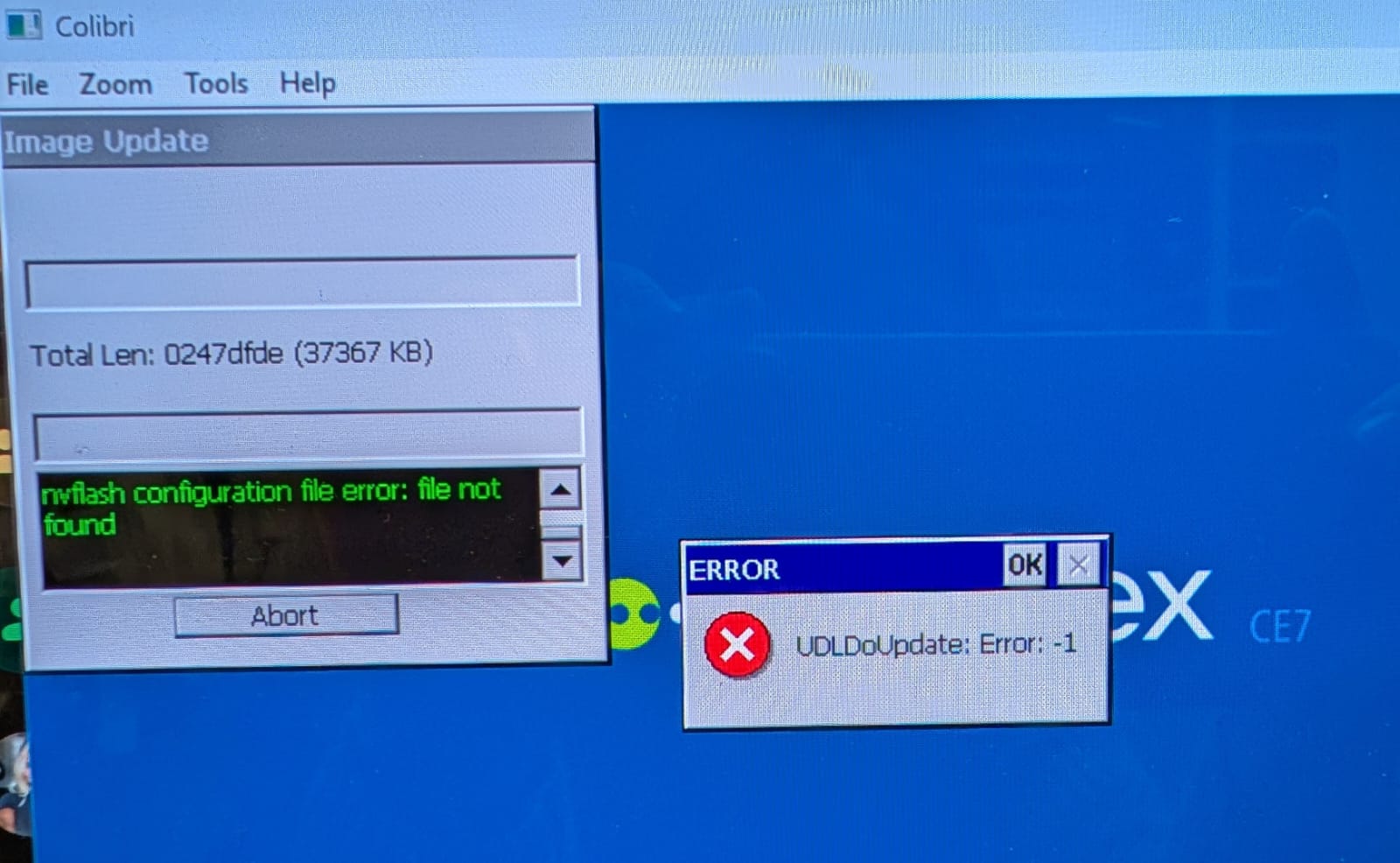
What is the problem?
I tried on different Colibri modules but I get the same error.
Hi @shivaOD ,
The message in the log view panel says: “nvflash configuration file error: file not found” so i guess the .cfg files is missing or corrupt. Can you explain how you start the update tool? manually? or by auorun link/batch file? If by autrun, please provide details. most probably a file path error.
BTW: is the problem with USB solved?
Hello Germano
I select update tool from the start menu.
Then select backup and save the files on a USB stick.
Once it is done, I restart.
Then I use a new module and select the Update tool from start menu again.
Select the Update button.
Select the saved .cfg file.
I then get this error.
USB connections works but not consistently.
It doesn’t matter if I change the registry or not.
Hi Shiva,
So you get the error on all modules? everytime? or does the update procedure works sometimes?
If it never works, can you show me the exact folder structure and send me the .cfg file (maybe it’s corrupt?)
Germano Kern
Toradex